
Artbreeder
Artbreeder is a collaborative AI image generation platform that allows users to create and evolve unique visuals by blending and manipulating latent spaces.
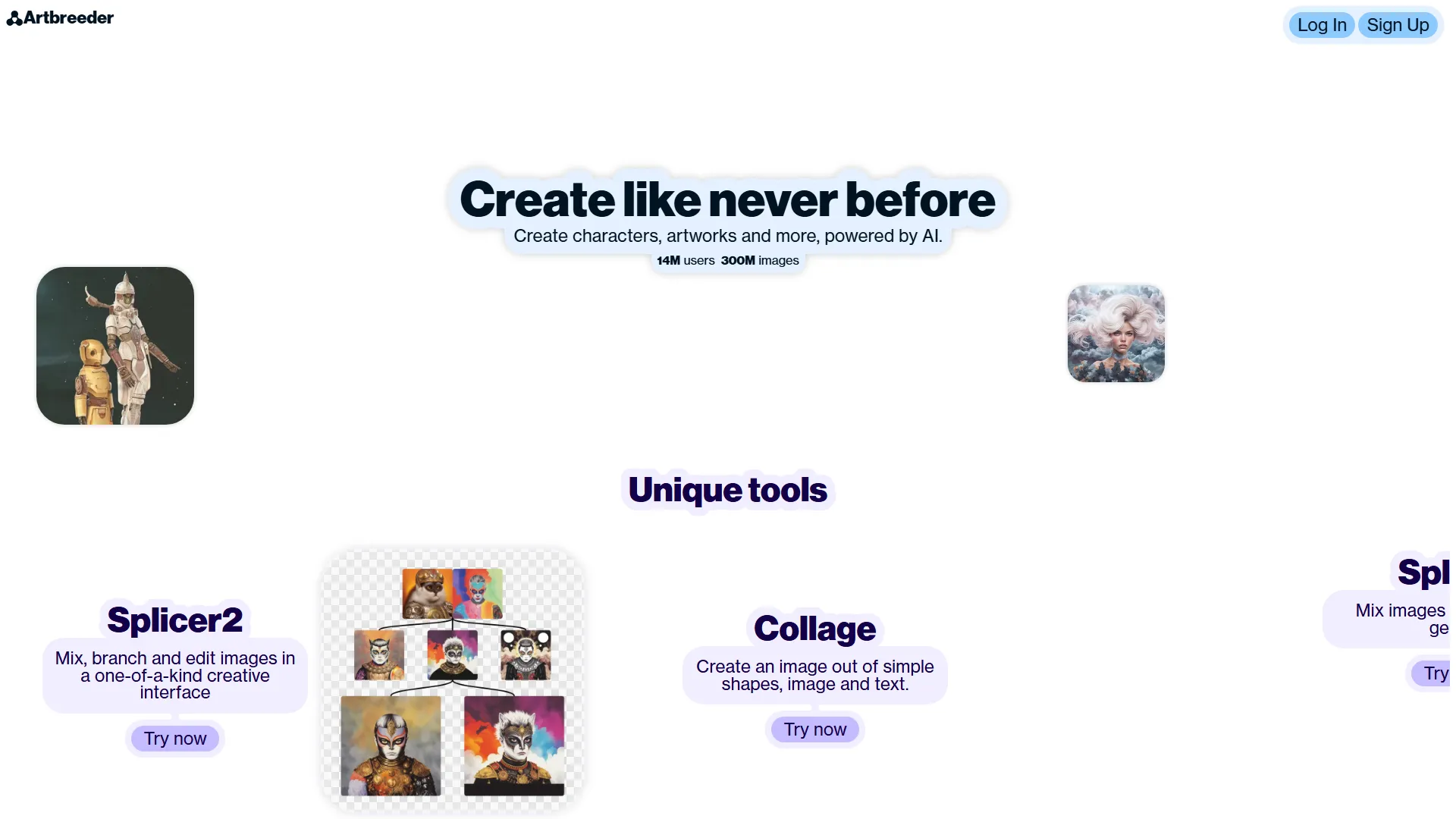
How it works and main features
Explore the main features, functionalities and how this AI tool can help you.
Artbreeder focuses on generative art through "breeding," a process where users blend existing images to create new, derivative works. By manipulating GAN (Generative Adversarial Network) latent spaces, users can fine-tune specific visual attributes, providing a unique alternative to simple text-to-image prompts by offering granular control over output characteristics. This tool is best for digital artists, concept creators, and character designers who require iterative visual development rather than one-off image generation. It excels in tasks like character portrait generation, environment design, and abstract pattern creation where consistency and cross-breeding are key to the workflow. Artbreeder may fall short for users needing precise photorealism or complex compositional control, as it is fundamentally limited by the GAN models it utilizes. Users requiring professional-grade image editing (like Photoshop-level retouching) or those seeking standard text-to-image generation as the primary output will likely find other platforms like Midjourney or Stable Diffusion more capable. Ultimately, Artbreeder is an excellent choice for those interested in the "evolutionary" aspect of AI art. It bridges the gap between casual exploration and artistic creation, making it ideal for users who enjoy refining visuals through iterative experimentation rather than relying solely on single-prompt generations.
- Cross-breeding images to generate new hybrid visuals
- Adjustable sliders for fine-tuning specific artistic or facial attributes
- Public gallery for remixing and evolving community creations
- High-resolution image rendering for paid tiers
- Support for multiple categories including portraits, landscapes, and anime styles
- Folder and collection management for organizing image history
- Privacy controls for keeping specific projects hidden
Advantages and disadvantages of the tool
See the main strengths and limitations to decide if this tool is ideal for you.
Pros
- Unique evolutionary approach to image generation
- High level of control over specific visual attributes
- Active, collaborative community-driven library
- Easy to iterate on existing designs without starting from scratch
- Intuitive slider-based interface for non-technical users
Cons
- Output quality is limited by underlying GAN technology
- Struggles with text rendering and complex anatomical precision
- Less photorealistic compared to modern diffusion models
- Community-based sharing may be undesirable for proprietary work
- Niche feature set may not replace general-purpose image editors
Feedback and user experiences
See the reviews, ratings and opinions of users to understand the real experience with this tool.
Sarah J.
Incredible tool for generating unique character portraits. The ability to blend images is unmatched.
Trustpilot
Mark D.
Fun and easy to use. Great for brainstorming visual ideas for my sci-fi novel characters.
Product Hunt
Elena R.
The slider system makes it so much easier to get the specific face shape I need than writing long prompts.
G2
Tom B.
Excellent for artistic inspiration. I use it to mash up landscapes and styles for background concepts.
Trustpilot
Chloe V.
Very helpful for character design. It feels like a mix of art and science.
Product Hunt

G2
4.5
Trustpilot
4.2
Product Hunt
4.6
Real applications of the tool
Ideas and examples to make the most of the tool's features.
Character Design
Generating hundreds of unique faces and physical traits for creative writing or game character prototypes.
Landscape Concept Art
Blending natural elements to create unique environment backdrops for artistic projects.
Artistic Style Exploration
Experimenting with blending different art styles to create entirely new, experimental visual aesthetics.
Creative Iteration
Remixing existing public images to iterate on a specific visual concept until the desired result is achieved.
Collaborative Visualizing
Contributing to a shared lineage of images to see how specific visual genes evolve through community input.
Other similar tools
Compare with similar tools and choose the one that best meets your goal.
 Freemium
Reclaim
4.80Reclaim is an AI-powered calendar management tool that automatically schedules tasks, habits, and meetings to optimize work-life balance for busy professionals.
- Productivity
- Life Assistants
 Freemium
Superhuman
4.50Superhuman is a high-performance, keyboard-centric email client designed for professionals and teams who require extreme speed and efficiency in their inbox management.
- Productivity
 Freemium
Notion
4.42Notion is an all-in-one workspace that combines notes, databases, and project management tools, ideal for teams and individuals seeking a customizable information hub.
- Productivity
- Education & Studies
- Files & Spreadsheets
 Freemium
ClickUp
4.25ClickUp is an all-in-one project management platform designed for teams to centralize tasks, documentation, and collaboration within a single workspace.
- Text Generators
- Productivity
- Files & Spreadsheets
- AI Chat & Assistant
- Automation
Tutorials and videos of the tool
Learn how to use the tool with visual content and practical examples.
Frequently Asked Questions
Everything you need to know about finding and using AI tools
Yes, Artbreeder offers a free plan that allows for basic image generation and exploration.
Breeding allows you to blend images and modify sliders, while prompting is a more direct text-to-image input method.
Users retain ownership of the images they create, subject to Artbreeder's terms of service.
Yes, paid subscription tiers offer privacy features for your projects.
Higher resolution outputs are typically accessible through the paid subscription tiers.
Artbreeder does not currently offer a public API for external application integration.
Yes, you can upload images to use as a starting point for breeding or evolution.
Artbreeder produces artistic and stylized images; while some outputs can look realistic, they may lack the precision of newer diffusion-based models.
You can manage your saved images and history through your user account dashboard settings.
Yes, the web interface is designed to be responsive and functional on modern mobile browsers.
Latest AI Tools Articles
Everything you need to know about finding and using AI tools