
Superhuman
Superhuman is a high-performance, keyboard-centric email client designed for professionals and teams who require extreme speed and efficiency in their inbox management.
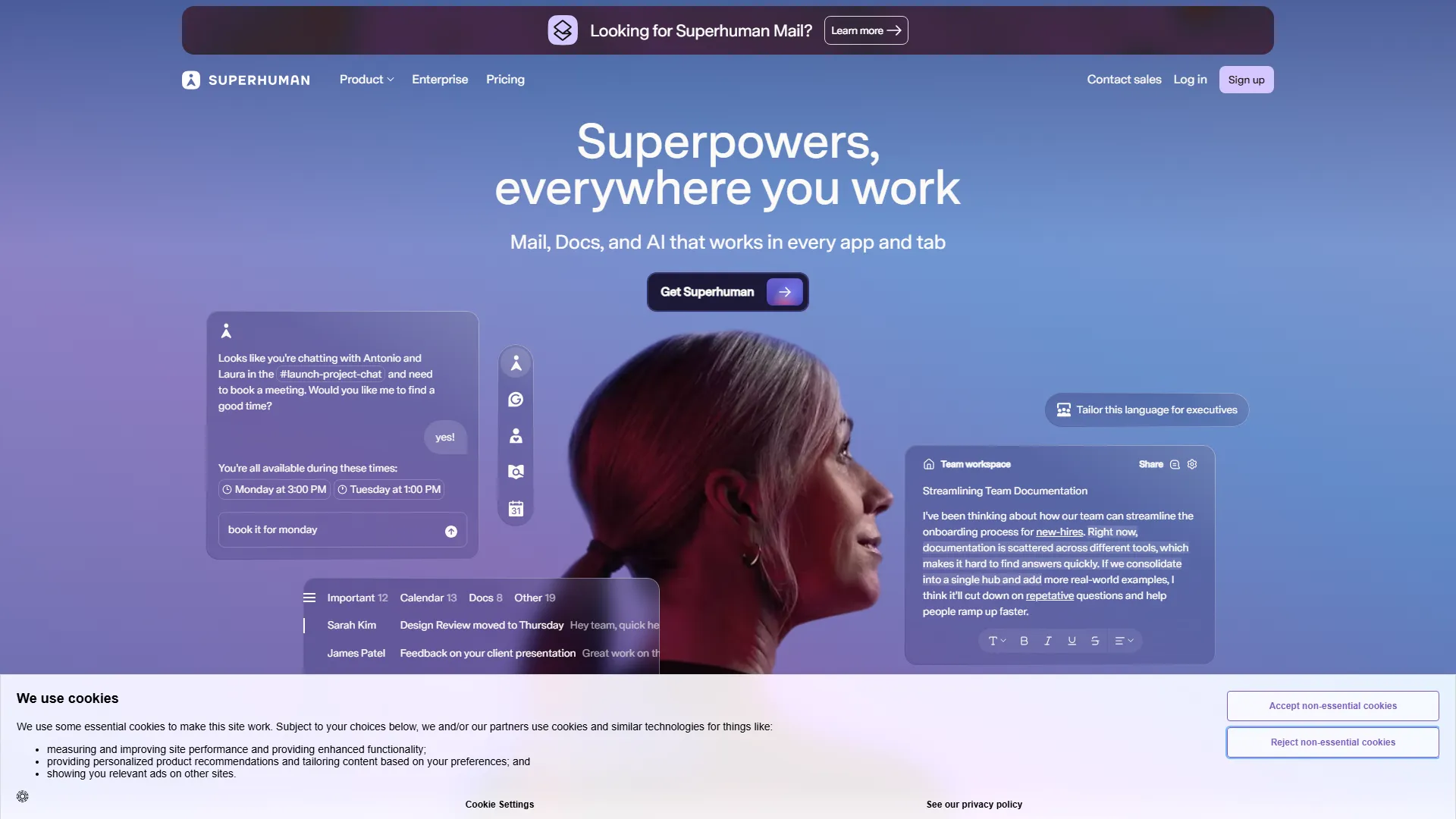
How it works and main features
Explore the main features, functionalities and how this AI tool can help you.
Superhuman is an email client engineered specifically for speed, utilizing a proprietary architecture that ensures interactions happen in 100 milliseconds or less. Its primary purpose is to help users reach 'Inbox Zero' by providing keyboard shortcuts for nearly every action, eliminating the need to use a mouse or trackpad during email processing. It is best suited for power users, executive assistants, and high-growth professionals who deal with heavy daily email volume and need to process correspondence rapidly. The tool performs exceptionally well in corporate environments that already rely on Gmail or Outlook, as it leverages these backends while providing a significantly faster, distraction-free interface. However, the tool is not ideal for casual users who only manage a few emails a day, as the learning curve for the keyboard-centric navigation can be steep for those accustomed to traditional UI. Furthermore, users who require deep integration with non-email management apps or those who prefer a more visual, drag-and-drop interface may find the rigid structure restrictive. Ultimately, choosing Superhuman is an investment in time efficiency. It is the right tool for those who view email as a bottleneck to their productivity and are willing to pay a premium price to utilize specialized features like AI triage, advanced search filters, and 'Split Inbox' views that organize communication by sender intent.
- Keyboard-only navigation shortcuts for all inbox actions
- Split Inbox views to separate newsletters, team updates, and priority mail
- AI-powered triage to suggest responses and categorize incoming mail
- Built-in read statuses and tracking for sent emails
- Advanced search filters with Boolean logic and natural language support
- Undo send functionality and custom keyboard command mapping
- Social insights integration to display sender context from LinkedIn
- Cloud-based architecture that works across desktop, mobile, and web
Advantages and disadvantages of the tool
See the main strengths and limitations to decide if this tool is ideal for you.
Pros
- Extremely fast performance across desktop and mobile platforms
- Keyboard-first navigation significantly reduces time spent in inbox
- AI features effectively automate and summarize repetitive tasks
- Sleek, minimalist interface reduces visual clutter and distractions
- Robust search capabilities that handle complex queries quickly
Cons
- Significant learning curve for mastering keyboard shortcuts
- High monthly subscription fee compared to free email clients
- Dependent on Gmail or Outlook backends for account synchronization
- Lack of support for multiple non-Google/Outlook email protocols
- Limited customization options for users who prefer heavy UI layout modifications
Feedback and user experiences
See the reviews, ratings and opinions of users to understand the real experience with this tool.
Alex R.
Superhuman completely transformed my daily workflow. I am saving roughly an hour a day on email management.
G2
Sarah J.
The keyboard shortcuts are addictive. Once you learn them, going back to a standard web interface feels incredibly slow.
G2
Mark D.
Pricey, but worth it if you get hundreds of emails a day. The AI triage helps me focus on what matters.
Trustpilot
Elena K.
Beautiful design and very stable. The integration with my calendar makes scheduling calls effortless.
Product Hunt
David W.
It's the only email client that makes me feel like I have control over my inbox again. The search is top-tier.
Capterra

G2
4.5
Capterra
4.6
Trustpilot
4.2
Product Hunt
4.7
Real applications of the tool
Ideas and examples to make the most of the tool's features.
Rapid Inbox Triage
Quickly clearing large volumes of incoming mail by using shortcuts to archive, snooze, or reply without using a mouse.
High-Velocity Professional Communication
Managing client and stakeholder inquiries with templates and AI-assisted drafting to maintain consistent response times.
Calendar and Meeting Management
Scheduling meetings directly from an email conversation by using integrated calendar features to check availability.
Filtering Newsletters and Updates
Using Split Inbox views to shunt non-essential notifications into separate folders for batch processing later.
Accountability Tracking
Using read receipts and follow-up reminders to ensure important emails do not get lost in the shuffle.
Other similar tools
Compare with similar tools and choose the one that best meets your goal.
 Freemium
Reclaim
4.80Reclaim is an AI-powered calendar management tool that automatically schedules tasks, habits, and meetings to optimize work-life balance for busy professionals.
- Productivity
- Life Assistants
- Freemium
Superhuman
4.50Superhuman is a high-performance, keyboard-centric email client designed for professionals and teams who require extreme speed and efficiency in their inbox management.
- Productivity
 Freemium
Notion
4.42Notion is an all-in-one workspace that combines notes, databases, and project management tools, ideal for teams and individuals seeking a customizable information hub.
- Productivity
- Files & Spreadsheets
- Education & Studies
 Freemium
ClickUp
4.25ClickUp is an all-in-one project management platform designed for teams to centralize tasks, documentation, and collaboration within a single workspace.
- Automation
- Text Generators
- AI Chat & Assistant
- Files & Spreadsheets
- Productivity
Tutorials and videos of the tool
Learn how to use the tool with visual content and practical examples.
Frequently Asked Questions
Everything you need to know about finding and using AI tools
Superhuman does not offer a free plan; they occasionally offer trials, but the service is strictly a paid subscription model.
Superhuman currently supports Gmail, Google Workspace, Outlook, and Microsoft 365 accounts.
Superhuman states that they prioritize user privacy and do not sell user data to third parties; they focus on the email processing experience.
Superhuman includes an onboarding process and a built-in 'Cmd+K' command palette that teaches you shortcuts while you work.
Superhuman is available as a web app, on iOS, and on desktop; check their official site for the latest status on Android support.
Yes, AI triage and drafting capabilities are included as part of the core Superhuman experience for subscribers.
Yes, Superhuman allows for reading and composing emails while offline, which sync once the connection is restored.
Superhuman offers specific integrations with various tools like Salesforce and HubSpot via their sidebar functionality.
Your emails remain in your original email provider (Gmail/Outlook); Superhuman is simply a client and does not host your mail data.
Superhuman is architecturally optimized for keyboard input and pre-loading data, which makes it significantly faster than the standard Gmail web experience.
Latest AI Tools Articles
Everything you need to know about finding and using AI tools